
Pinterest GIF Downloader – Free GIF Downloader to Save GIFs from Pinterest
Save any animated Pinterest GIF in its original quality. No app, no login.
Works with pinterest.com, pin.it and all Pinterest country domains
SaveClipz’s Pinterest GIF downloader helps you save animated GIFs from Pinterest to your phone or computer. Copy the link of a GIF pin, paste it in the box above and press Download. You get the original moving GIF, not a still picture.
A Pinterest GIF is a short animation that plays again and again. On Pinterest you can find funny reactions, cute animals, cooking tricks, makeup looks, hand-drawn art and many more. The problem is that when you save a GIF from some apps, you only get a frozen first frame. SaveClipz finds the real animated file so the motion is kept.
Quick facts
- Price: 100% free
- Output: original animated GIF file
- Extra: video version (MP4) when the pin is a video
- Works on: Android, iPhone, Windows, Mac
- Login needed: No
- Watermark added: No
Table of Contents
- How to Save GIFs from Pinterest in 3 Simple Steps
- Pinterest GIF Download on Any Device
- Download Pinterest GIF Files in the Best Quality
- What Makes a Good GIF Downloader?
- How to Find GIFs on Pinterest
- How SaveClipz Finds the Animated File
- GIF vs Live Photo vs Short Video
- Where Can You Use Pinterest GIFs?
- Common Problems and Easy Fixes
- Pinterest GIF Downloader: Frequently Asked Questions
- Download Your Favorite Pinterest GIFs Now
How to Save GIFs from Pinterest in 3 Simple Steps
Wondering how to save GIFs from Pinterest? A Pinterest GIF download with SaveClipz takes only a few seconds:
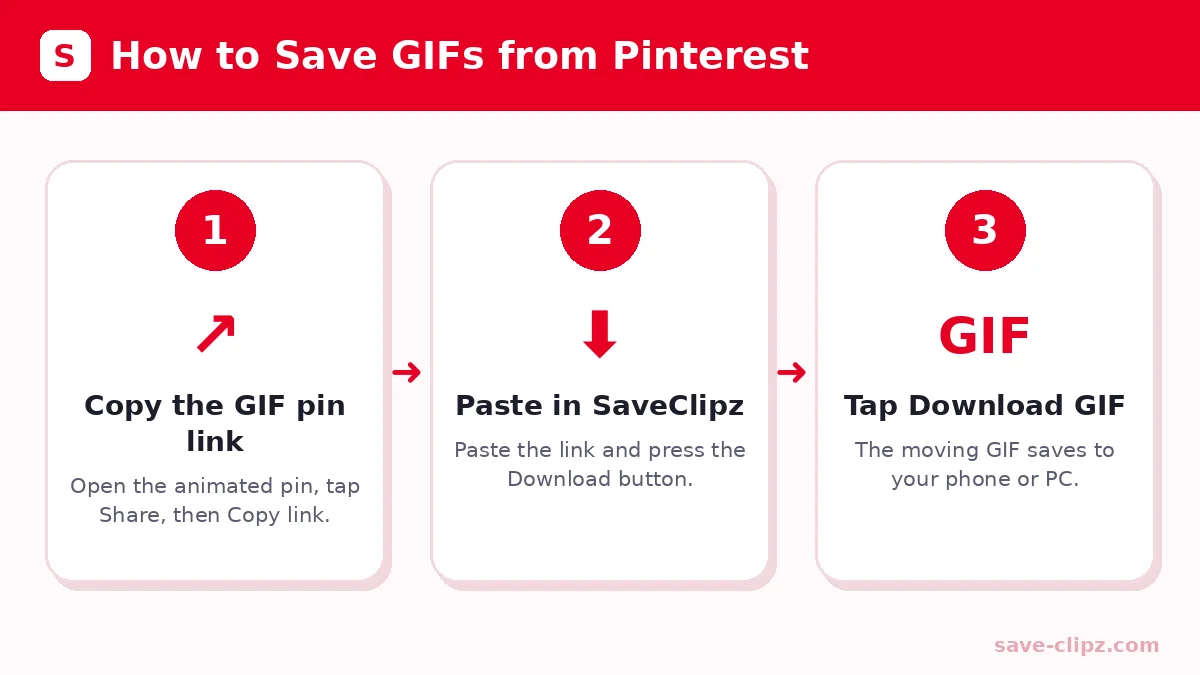
- Copy the GIF pin link. Open the animated pin, tap Share and choose Copy link.
- Paste the link. Tap Paste in the box above and press Download.
- Save the GIF. Tap Download GIF. The animated file is saved to your device.
If a pin only shows a picture and no “Download GIF” button, it means the pin is not a real GIF. It may be a short video instead. In that case you will see an MP4 button, which you can save with the same tool.
Pinterest GIF Download on Any Device
You can download Pinterest GIF files on every device that has a browser. Here is what happens after you tap the button:
| Device | Where the GIF goes | How to view it |
|---|---|---|
| Android | Downloads folder | Open Gallery or Files app |
| iPhone / iPad | Files app (Downloads) | Tap Share, then Save Image to keep it in Photos |
| Windows PC | Downloads folder | Open with any browser or Photos app |
| Mac | Downloads folder | Open with Preview or Safari |
How to Download GIFs from Pinterest on iPhone
On iPhone, Safari saves the GIF to the Files app. Open it, tap Share and choose Save Image. The GIF goes to your Photos and keeps moving when you send it in WhatsApp or iMessage.
Save GIF from Pinterest on Android
On Android, the GIF is saved to Downloads. Most gallery apps play GIFs automatically. To send it, open WhatsApp, tap the attach icon and pick the GIF from your gallery.
Download Pinterest GIF Files in the Best Quality
People often search for a Pinterest GIF downloader 4K. The truth is simple: GIFs are usually small files, often between 300 and 800 pixels wide. SaveClipz gives you the original GIF that was uploaded, which is the best quality that exists for that pin. No tool can turn a small GIF into a real 4K animation.
| Format | Animation | Sound | Best for |
|---|---|---|---|
| GIF | Yes, loops forever | No | Chats, memes, short reactions |
| MP4 video | Yes | Yes (if the pin has sound) | Longer clips, better quality, smaller file |
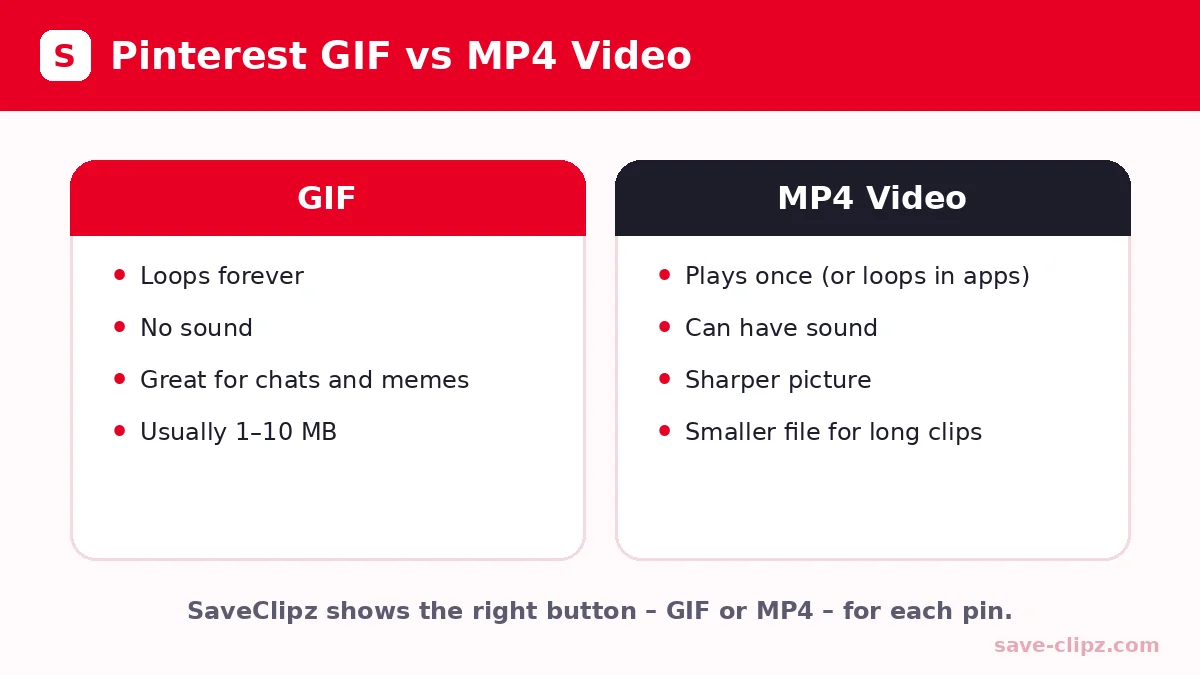
Tip: if a Pinterest “GIF” is really a short video, the MP4 version will look sharper and take less space than a GIF.
Pinterest Video to GIF: Can You Convert It?
Some people want a Pinterest video to GIF converter. SaveClipz saves real GIF pins as GIF files and video pins as MP4 files. If you want a GIF from a video, first save the MP4, then use a free converter app. This keeps the best quality at every step.
What Makes a Good GIF Downloader?
- Keeps the animation. It should save the moving file, not just one frame.
- No watermark. Your GIF should look exactly like the original.
- No app needed. Installing apps for one GIF wastes space and time.
- Safe to use. It should never ask for your Pinterest password.
SaveClipz ticks all four boxes, which makes it a safe online GIF downloader for Pinterest. It is part of our free toolset, together with the Pinterest Video Downloader and the Pinterest Image Downloader.
How to Find GIFs on Pinterest
Not every moving pin is a GIF. Here is how to find real animated GIFs faster:
- Add “GIF” to your search. Search for things like “cat GIF”, “good morning GIF” or “cooking GIF”.
- Look for the GIF label. Many animated pins show a small “GIF” tag in the corner.
- Open the pin. Real GIFs start moving on the pin page by themselves, without a play button.
- Check boards made for GIFs. Many users collect animations in boards named “GIFs” or “Animations”.
How SaveClipz Finds the Animated File
When you paste a link, SaveClipz opens the public pin page and reads the ID of the picture. It then checks Pinterest’s original files for a version that ends in .gif. If it finds one, you get the Download GIF button. If the pin is really a short video, you get an MP4 button instead. Everything comes straight from Pinterest’s servers, so the animation is never changed or slowed down.
GIF vs Live Photo vs Short Video
| Type | What it is | Can SaveClipz save it? |
|---|---|---|
| GIF | A short silent animation that loops | Yes, as a .gif file |
| Short video pin | A real video, often with sound | Yes, as an MP4 file |
| Live Photo (iPhone) | A photo with a tiny clip, only on Apple devices | Not on Pinterest; it shows as a normal image |
If you are not sure which one you have, just paste the link. SaveClipz shows the right buttons for you automatically.
Where Can You Use Pinterest GIFs?
- Chats: send funny reactions to friends and family.
- Presentations: add a small moving example to a school or work slide.
- Notes and study: keep short how-to animations, like a knot or a drawing step.
- Personal collections: keep your favorite art and design ideas in one folder.
Remember that GIFs belong to the people who made them. Use them for personal fun, and ask for permission before you use them in ads or products. You can learn more in Pinterest’s copyright policy. If you want to know more about the GIF format itself, Wikipedia’s GIF article explains it well.
Common Problems and Easy Fixes
- No “Download GIF” button: The pin is not a GIF. Use the MP4 or image button instead.
- GIF does not move in Photos: Some gallery apps show only the first frame. Open the file in a browser or send it in a chat to see it move.
- “Nothing found”: The pin is private or deleted. Check the link in your browser.
- Too many requests: Wait one minute and try again.
Pinterest GIF Downloader: Frequently Asked Questions
How do I download a GIF from Pinterest?
Copy the GIF pin link, paste it into SaveClipz and tap “Download GIF”. The animated file saves to your device.
Why does my Pinterest GIF not move after saving?
Some apps only show the first frame. Open the file in a browser or chat app, where it will play.
Is the Pinterest GIF downloader free?
Yes. SaveClipz is completely free and needs no account.
Can I convert a Pinterest GIF to MP4?
If the pin is a video-style GIF, SaveClipz shows an MP4 button. Real GIF pins are saved as GIF files.
Can I download Pinterest GIFs on iPhone?
Yes. Use Safari, tap Download GIF, then save it from the Files app to Photos.
Does SaveClipz add a watermark to GIFs?
No. Your GIF is saved exactly as it was uploaded.
Can I download GIFs from private boards?
No. Only public pins can be downloaded.
How big is a Pinterest GIF file?
Most GIFs are between 1 MB and 10 MB. Longer and bigger animations can be larger.
Can I use a Pinterest GIF as my phone wallpaper?
Some phones support live or animated wallpapers. Many people turn the GIF into a short video first, which works on more phones.
Download Your Favorite Pinterest GIFs Now
Paste a GIF pin link in the box at the top and keep the animation forever. For stories and Idea Pins, visit our Pinterest Story Downloader.