
Pinterest Story Downloader – Pinterest Download Video from Stories and Idea Pins
Download Pinterest Story Pins and Idea Pins as HD video or images. Free and online.
Works with pinterest.com, pin.it and all Pinterest country domains
SaveClipz’s Pinterest story downloader lets you save Pinterest Story Pins (now called Idea Pins) to your phone or computer. Copy the link of the story, paste it in the box above and press Download. You get the HD video of the story, and the cover image as a picture.
Story Pins are short, step-by-step posts. Creators use them for recipes, crafts, makeup tutorials, workouts and travel tips. They are easy to watch on Pinterest, but there is no simple button to keep them on your device. That is why people use a story downloader (also called a pin downloader; some even type it as “pintrest video download”). The goal is the same: to watch the steps again later, even without the internet.
Quick facts
- Price: 100% free
- You get: HD MP4 video of the story plus the cover image
- Works with: Story Pins, Idea Pins and short video pins
- Devices: iPhone, Android, Windows, Mac
- Login needed: No
- Watermark added: No
Table of Contents
- Pinterest Video Download Link: Save a Story in 3 Steps
- A Short History of Pinterest Story Pins
- Tips for Watching Saved Stories Offline
- Free Pinterest Downloader for Stories: What You Get
- Pinterest Idea Pin Downloader: Stories vs Idea Pins
- Why People Save Pinterest Stories
- Use Saved Stories the Right Way
- Common Problems and Easy Fixes
- Pinterest Story Downloader: Frequently Asked Questions
- Save Your First Pinterest Story Now
Pinterest Video Download Link: Save a Story in 3 Steps
All you need is the Pinterest video download link of the story. SaveClipz then works online in three easy steps:
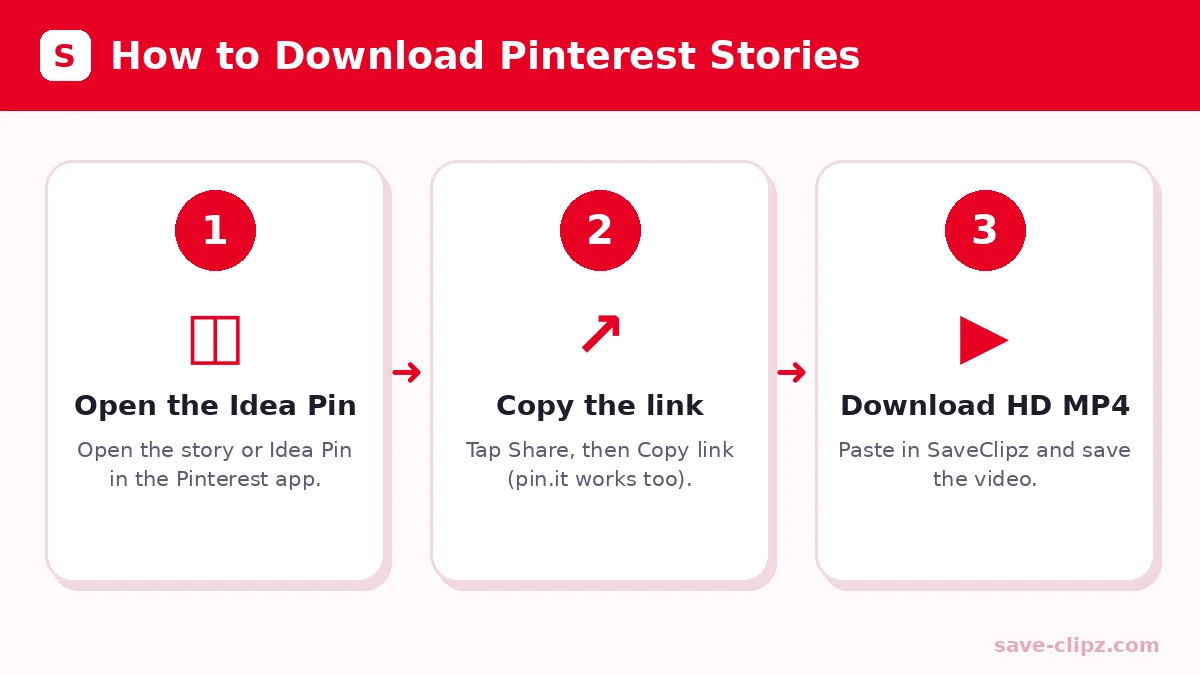
- Copy the story link. Open the Idea Pin or Story Pin, tap Share and choose Copy link.
- Paste the link. Come back to SaveClipz, tap Paste and press Download.
- Save the story. Tap the HD MP4 button to save the video, or the Image button to save the cover picture.
The story is saved to your Downloads folder (or the Files app on iPhone). From there you can move it to your gallery, share it, or keep it in a folder for later.
Pinterest Video Download by Link: Where to Find the Story Link
A Pinterest video download by link only works with the right link. Copying the right link is the most important step. Here is where to find it:
| Where you are | How to copy the link |
|---|---|
| Pinterest app (Android) | Open the story, tap the Share arrow, then tap Copy link |
| Pinterest app (iPhone) | Open the story, tap Share (the arrow), then tap Copy link |
| Pinterest website (PC or Mac) | Open the story, then copy the address from the browser bar |
| Shared message | Long-press the pin.it link in WhatsApp or Messenger and choose Copy |
The link should look like pinterest.com/pin/123… or pin.it/abc…. Board links and profile links do not work for single stories.
A Short History of Pinterest Story Pins
Pinterest first tested Story Pins in 2020 so creators could share step-by-step ideas with several pages, video and text. In 2021 Pinterest renamed them Idea Pins. Later, Pinterest made video easier to post, and many Idea Pins now look like normal video pins. No matter which name you see, they are all public pins with a link, and SaveClipz can read them the same way.
Tips for Watching Saved Stories Offline
- Make a folder for each topic, like Recipes, Workouts or Crafts, so you can find stories fast.
- Rename the file with a short title, such as “banana-bread.mp4”.
- Turn on airplane mode when you watch on a plane; the saved video still plays.
- Back up favorites to Google Drive or iCloud so you never lose them.
- Delete old stories you no longer need to free up space.
Free Pinterest Downloader for Stories: What You Get
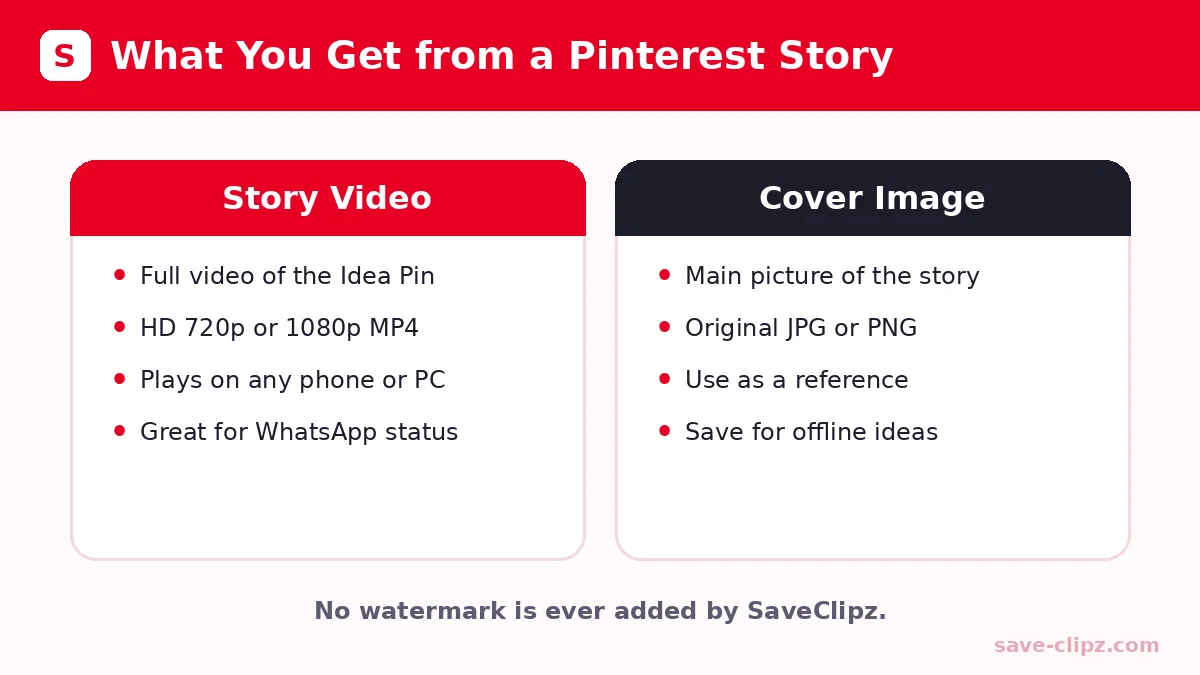
SaveClipz is a free Pinterest downloader and a Pinterest story downloader free for everyone. There is no account, no app and no payment. Here is what you can save from a story:
| Part of the story | What SaveClipz gives you | Format |
|---|---|---|
| Story video | The full video in the best size Pinterest has | MP4 (HD 720p or 1080p) |
| Cover image | The main picture of the story | JPG or PNG original |
| Short video pins | The video file | MP4 |
Good to know: some Idea Pins have many separate pages with different pictures. In that case SaveClipz saves the main video and the cover image. If you need another single page, open that page as its own pin and copy its link.
Pinterest Idea Pin Downloader: Stories vs Idea Pins
Pinterest changed the name of Story Pins to Idea Pins in 2021, and later many of them became regular video pins. For you, it does not matter: our Pinterest Idea Pin downloader handles all of them with the same box. Just paste the link and the tool finds the media inside.
Pinterest Story Downloader Without Watermark
SaveClipz never adds a logo or watermark. You get the story exactly as the creator posted it. A clean copy without a watermark is important if you want a clean copy to watch later. Please do not remove the creator’s own name or logo from their work.
Do You Need an App or APK to Save Stories?
No. Many people search for a story downloader app or APK, but installing unknown APK files can put your phone at risk. They may contain ads or ask for permissions they do not need. SaveClipz works in your browser, so there is nothing to install. If you are unsure about a site or app, you can check it with Google Safe Browsing.
Download Video Pinterest Stories for WhatsApp Status
Many people save short Pinterest stories to use as a WhatsApp status. After you download the MP4, open WhatsApp, go to Updates (or Status), tap the camera icon and pick the video from your gallery. Short clips under 60 seconds work best. Always give credit if you share someone else’s idea.
Why People Save Pinterest Stories
- Recipes: keep cooking steps open on your phone in the kitchen.
- Crafts and DIY: pause and replay each step while you work.
- Makeup and hair: follow a tutorial in front of the mirror.
- Workouts: use the moves at the gym without a signal.
- Travel ideas: watch them on the plane, offline.
Use Saved Stories the Right Way
Stories are the creative work of their makers. Saving them to watch later is personal use. If you want to repost them on your own profile or use them for business, ask the creator first and tag them. Pinterest explains creator rights in its copyright policy.
Common Problems and Easy Fixes
- Only one image is saved: Multi-page Idea Pins may have extra pages. Open the page you want as its own pin and copy that link.
- “Nothing found”: The story may be private, deleted or available only to logged-in users.
- Video opens instead of saving: Long-press the video or use the three-dot menu and choose Download.
- Too many requests: Wait one minute and try again.
Pinterest Story Downloader: Frequently Asked Questions
What is a Pinterest Story Pin?
A Story Pin, now called an Idea Pin, is a short post with video or several pages that show steps or ideas, like a recipe or a craft.
How do I download a Pinterest story?
Copy the story link, paste it into SaveClipz and tap the HD MP4 button to save the video.
Is this story downloader free?
Yes. It is completely free and does not need an account.
Can I download Idea Pins with this tool?
Yes. Story Pins and Idea Pins are the same thing, and both work.
Does SaveClipz add a watermark?
No. Your download is a clean copy with no added logo.
Can I download stories on iPhone?
Yes. Use Safari, tap Download, then save the video from the Files app to Photos.
Do I need an app or APK?
No. SaveClipz works in any browser. You do not need to install anything.
Can I use a Pinterest story as my WhatsApp status?
Yes. Download the MP4, then pick it from your gallery when you add a new status.
Save Your First Pinterest Story Now
Paste a story link in the box at the top of this page and keep your favorite ideas forever. Want regular videos or pictures? Try our Pinterest Video Downloader, Pinterest Image Downloader or Pinterest GIF Downloader.